> ## Documentation Index
> Fetch the complete documentation index at: https://docs-relytone.data.cloud/llms.txt
> Use this file to discover all available pages before exploring further.
# Manage API Keys
API keys authenticate your requests to the [RelytONE API](https://docs-relytone.data.cloud/api-reference). Each key is a randomly-generated token that remains valid until revoked.
## API Key Types
RelytONE currently supports **Personal API Keys**:
| **Key Type** | **Scope** | **Validity** |
| ------------ | ---------------------------------------------------- | ------------------------------------------------------------ |
| Personal Key | All organization projects where the user is a member | Valid until revoked; access ends if user leaves organization |
## Create an API Key
### Via Console
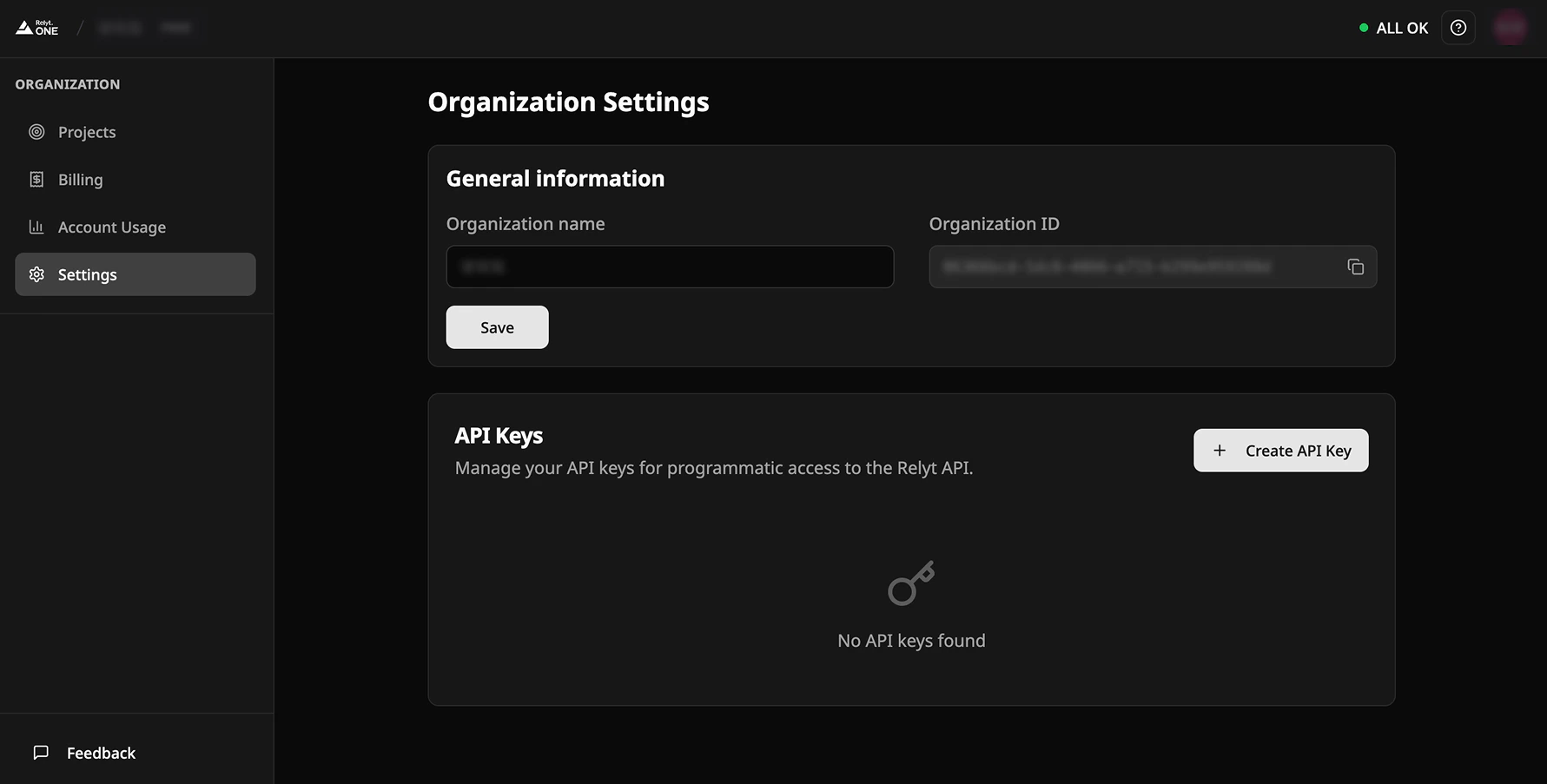
Navigate to **Organization Settings** > **API Keys** in the RelytONE Console.
Create your first API key from the Console, then use it to manage additional keys via API.
 ### Via API
Use an existing API key to create new keys programmatically:
```bash theme={null}
curl --request POST \
--url https://relytone.data.cloud/api/v1/user/api-keys \
--header 'Authorization: Bearer ' \
--header 'Content-Type: application/json' \
--data '{
"name": "",
"description": ""
}'
```
**Response:**
```json theme={null}
{
"id": "",
"key": "",
"fullKey": "",
"name": "",
"description": "",
"createdAt": "2023-11-07T05:31:56Z",
"consumerId": "",
"consumerUsername": ""
}
```
## Additional Operations
For more API key management operations, see:
* [List API Keys](https://docs-relytone.data.cloud/api-reference/user/get-user-api-keys-list)
* [Create API Key](https://docs-relytone.data.cloud/api-reference/user/create-api-key)
* [Delete API Key](https://docs-relytone.data.cloud/api-reference/user/delete-api-key)
### Via API
Use an existing API key to create new keys programmatically:
```bash theme={null}
curl --request POST \
--url https://relytone.data.cloud/api/v1/user/api-keys \
--header 'Authorization: Bearer ' \
--header 'Content-Type: application/json' \
--data '{
"name": "",
"description": ""
}'
```
**Response:**
```json theme={null}
{
"id": "",
"key": "",
"fullKey": "",
"name": "",
"description": "",
"createdAt": "2023-11-07T05:31:56Z",
"consumerId": "",
"consumerUsername": ""
}
```
## Additional Operations
For more API key management operations, see:
* [List API Keys](https://docs-relytone.data.cloud/api-reference/user/get-user-api-keys-list)
* [Create API Key](https://docs-relytone.data.cloud/api-reference/user/create-api-key)
* [Delete API Key](https://docs-relytone.data.cloud/api-reference/user/delete-api-key)