Why n8n + RelytONE?
n8n is a low-code automation platform that chains triggers, APIs, and AI nodes into reusable workflows. In this guide we’ll connect n8n’s “Chat with a database using AI” template to RelytONE—routing prompts through our LLM proxy and running SQL on our PostgreSQL compute—so you can talk to your database through natural language.Prerequisites
- A RelytONE project with at least one compute running (get one for free at https://data.cloud/relytone).
- A RelytONE LLM proxy token. Create and manage tokens in the console via
AI Tools > LLM Access. See docs. - Access to n8n Cloud or a self-hosted n8n instance.
1. Start from n8n’s AI + Database Template
Import the Chat with a Database using AI template. n8n will open the template setup page with two options:- OpenAI Chat Model – LLM credential.
- Postgres Tool – database credential.
2. Configure the LLM Node with RelytONE
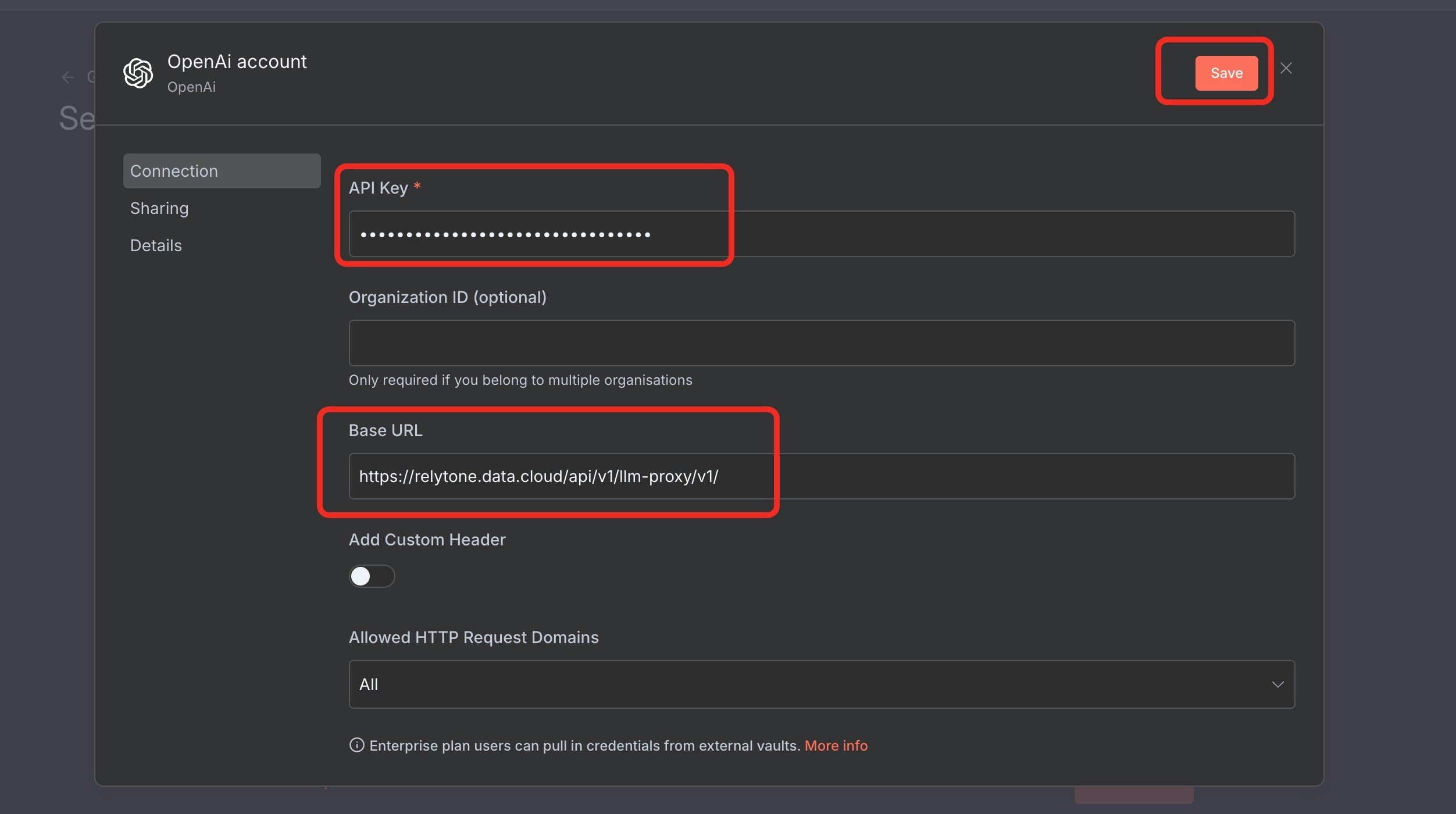
In OpenAI Chat Model, click the pencil icon:- Base URL / Endpoint:
https://relytone.data.cloud/api/v1/llm-proxy/v1/ - Access Token: paste your RelytONE token
3. Connect the Postgres Node to RelytONE Compute
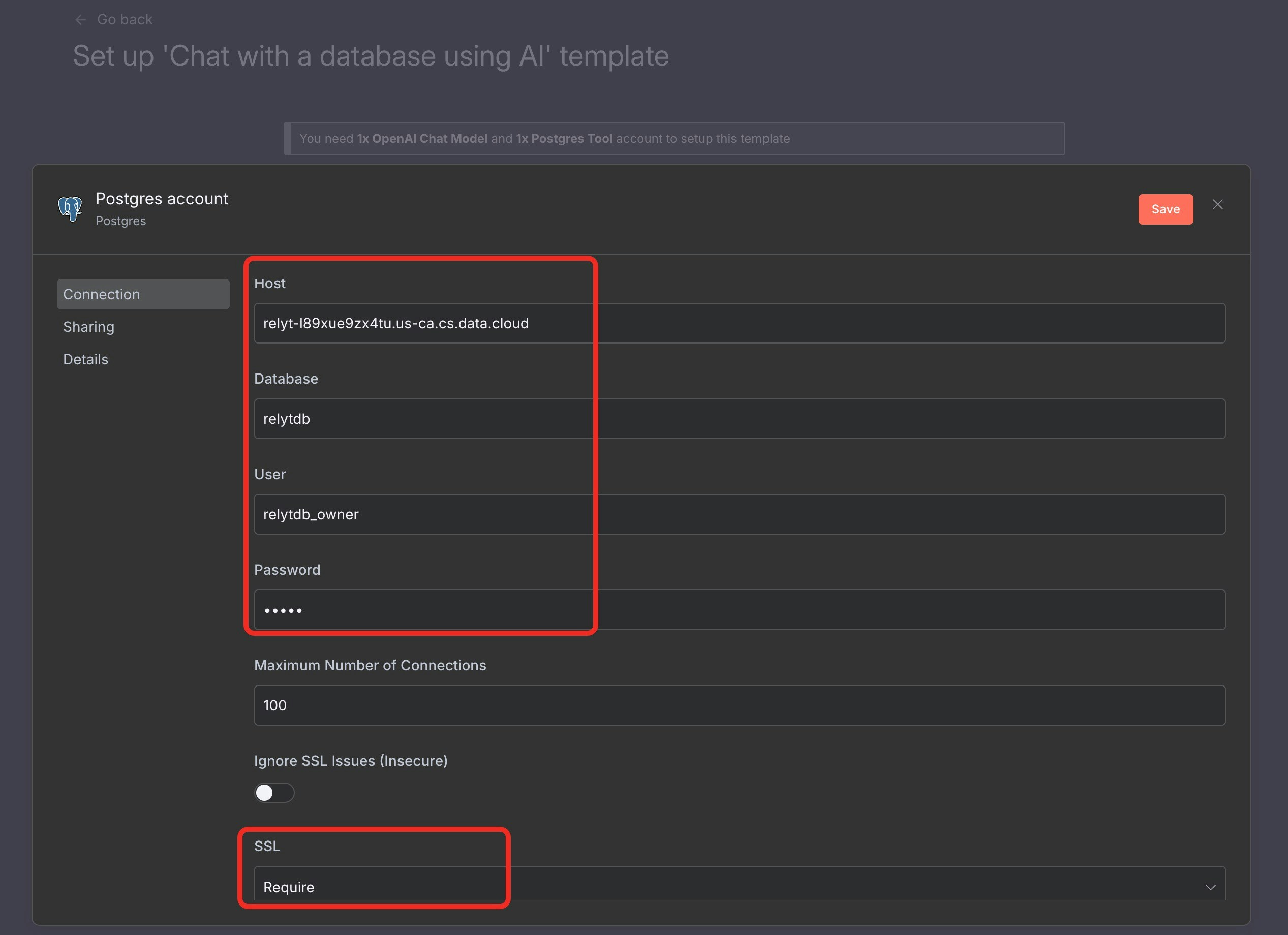
In Postgres Tool, edit the credential and copy everything fromProject > Connect:
- Host / Port / Database / User: as shown in the dialog
- Password: input manually (RelytONE does not retain it)
- SSL Mode:
require
4. Chat with Your Data
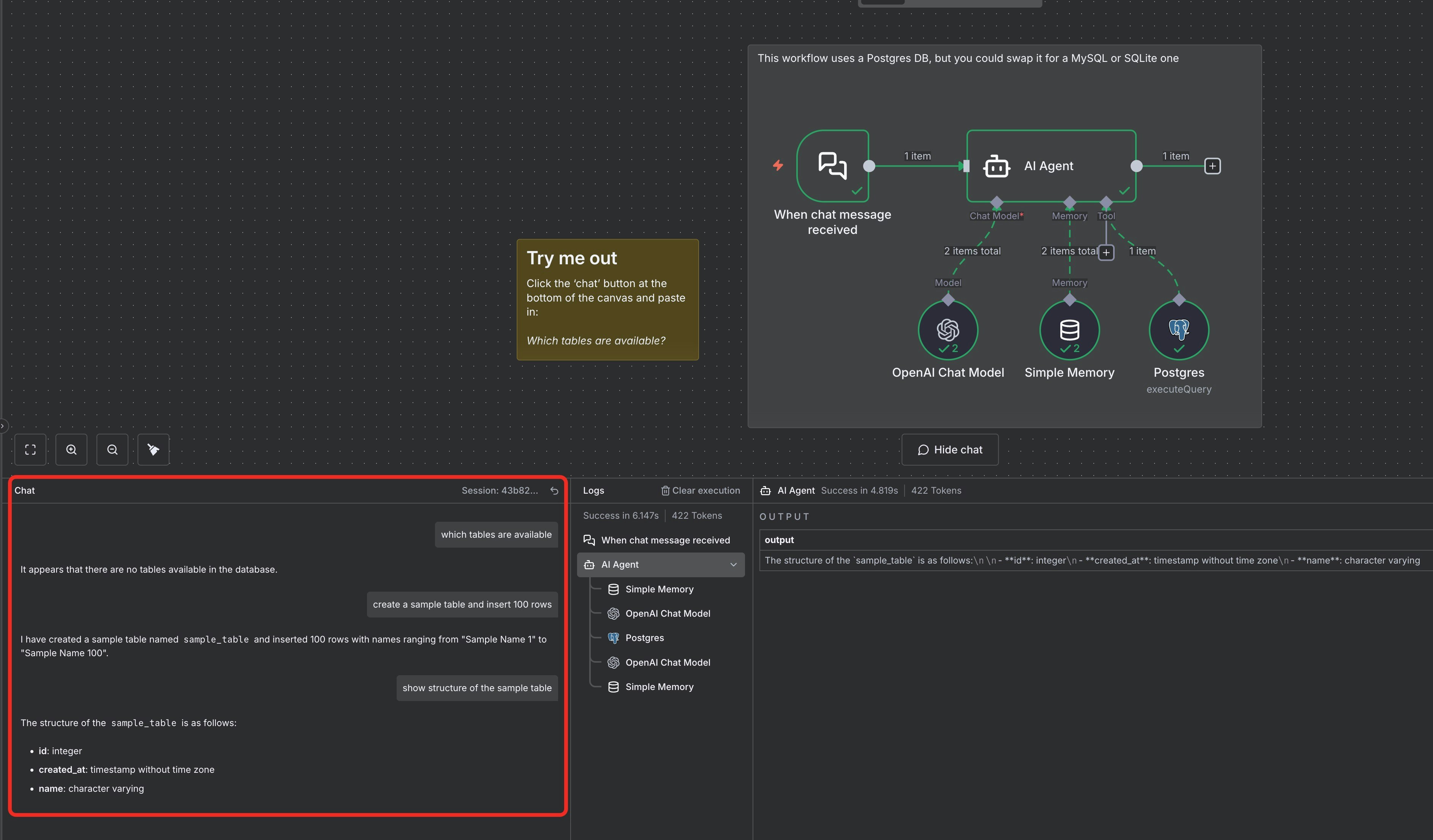
Once both options are green, clickContinue to open the workflow. Use the lower-left chat panel to ask questions; the LLM turns prompts into SQL, runs them on RelytONE over SSL, and replies in the same pane.