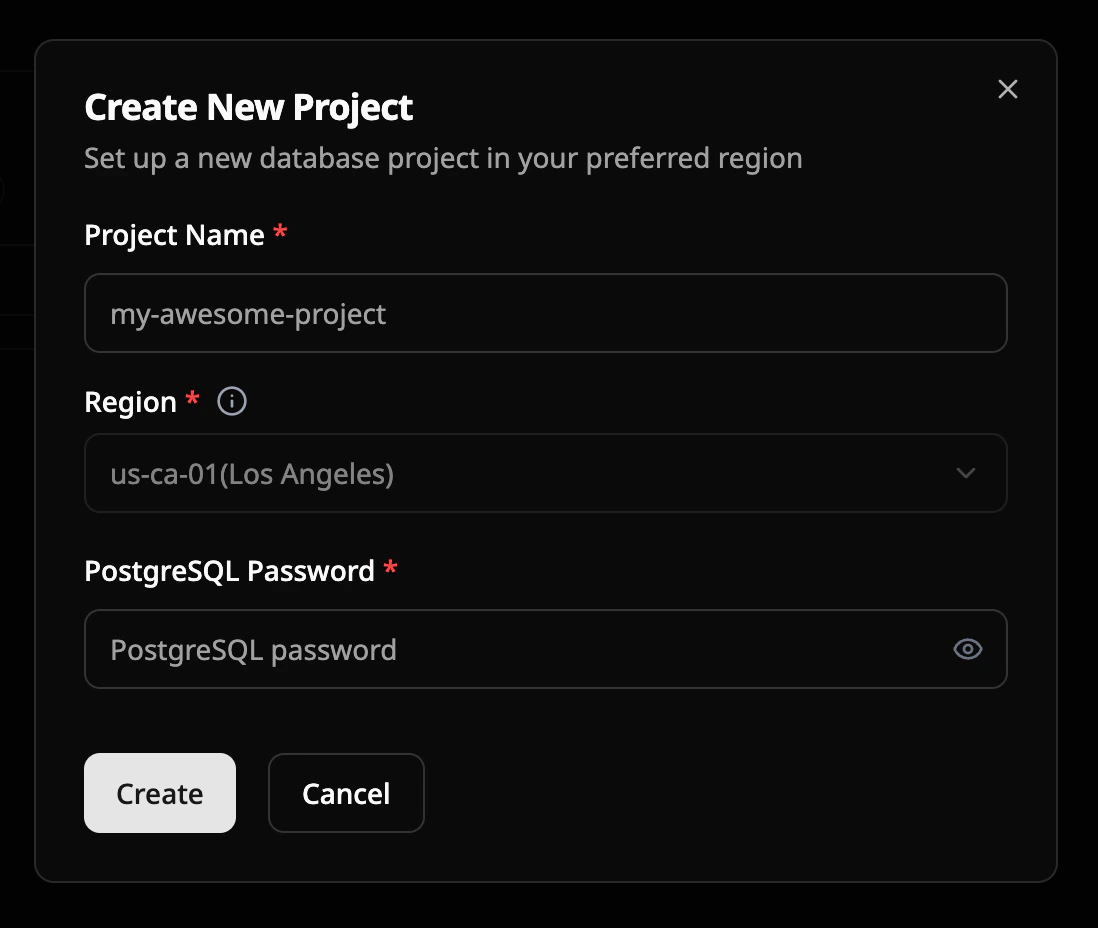
Start to create a project
First, after you log in to your account, you will land on the console page, positioned in the Projects section. In the top right corner, there is a ’+ New project’ button. Click it to start creating a new project.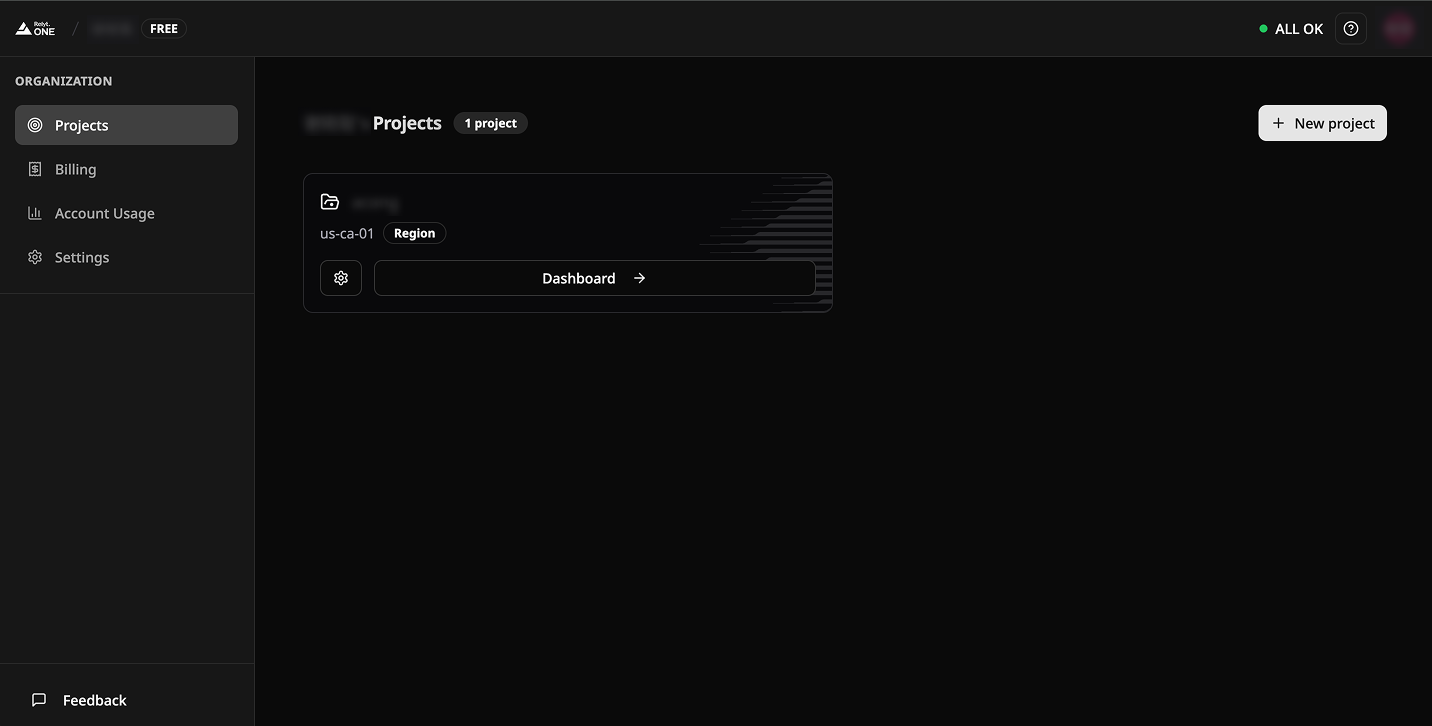
Configuration of project
- Project Name
- Set up your project name, 60 characters limited.
- Region
- Currently, only the Los Angeles region is available. Additional regions will be added soon.
- Project password
- Set up your project password, Please keep your password secure, as the platform does not store it. This password will be required for the subsequent connection process.